 01 / DISCOVER
Handpicked
by people.
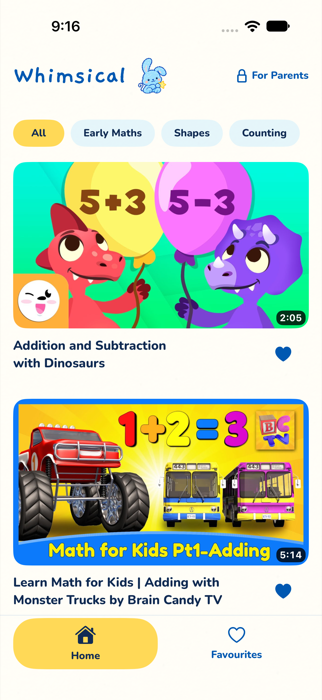
Explore collections of videos individually reviewed by our team. A thoughtful starting point for curious minds.
A little wonder. A little more peace of mind.
Handpicked by people. Collections chosen by you. A happy little place for your child to watch, with you in charge of what comes next.
See how it worksMade for iPhone & iPad No Whimsical account needed

A thoughtful little difference
You know your child best. We help you make their video world a little more intentional.
01 / DISCOVER
Explore collections of videos individually reviewed by our team. A thoughtful starting point for curious minds.
 02 / CHOOSE
You approve the collections that appear in Kids Mode. Their library begins with the choices you make.
 03 / FIND BALANCE
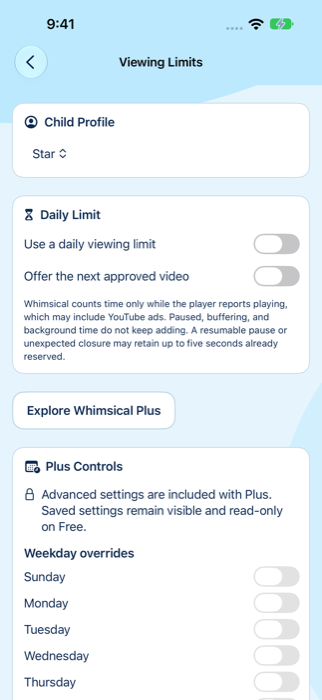
Set viewing boundaries that fit your day, with daily limits and protected controls for grown-ups.
A few small steps
Get to know their world before you hand it over.
Choose their age band and interests. Stories, singing, making things—there’s plenty to be curious about.
Explore suggestions and decide what belongs in their library. Nothing is assigned until you choose it.
Preview Kids Mode, set up protected parent access, and open their very own viewing space.
For the grown-ups
A little independence for them. Practical controls for you.
Kids explore the library you’ve approved, without open YouTube search.
A daily viewing limit helps you decide when it’s time for something else.
Parent Mode uses a local PIN, with optional Face ID or Touch ID on supported devices.
Start with one child profile and basic controls. Whimsical Plus adds more profiles and advanced parent controls.
No Whimsical account to create. Your household information stays on your device, with optional private iCloud sync through Plus.
Playback and purchase services have their own data practices. We explain those clearly, too.
Read our approach to privacyGood questions, grown-up answers
Something else on your mind?
We’re here to help ↗
Whimsical is an iPhone and iPad app for parent-managed video viewing. Our team reviews videos and organizes them into collections. You decide which collections your child can explore.
Videos play through YouTube’s official embedded player and may include advertisements. Whimsical does not remove ads. Human review helps you choose, but parental supervision still matters.
You don’t need a Whimsical account. Household information is stored locally on your device. Optional private iCloud synchronization is a Plus feature and uses your Apple account.
Free includes one active child profile, one assigned Free collection and basic controls. Plus adds multiple profiles and advanced parent controls. You can review current features and subscription details in the app.
No. Kids Mode is built around the collections you approve. It does not provide open YouTube search or unrestricted discovery.
Small choices. A world of difference.
Kids’ videos. Chosen with care.
Explore how it worksWhimsical for iPhone & iPad